Introduction
Online communities have become an important part of how people connect, communicate, share knowledge, and build relationships. From professional networking platforms and hobby-based communities to customer groups and membership websites, businesses and entrepreneurs are exploring new ways to bring people together online.
While established social media platforms offer access to large audiences, they do not always provide the level of control, branding, customization, and monetization that independent community owners need. Creating a dedicated social networking website offers an alternative by giving organizations more control over their digital environment and member experience.
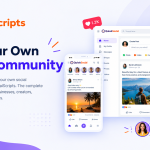
This is where QuiwkSocial comes in. QuiwkSocial is a social networking CMS designed to help entrepreneurs, businesses, developers, and organizations launch and manage their own online communities with a range of social features, administration tools, customization options, and monetization capabilities.
Whether you want to create a niche social network, a membership-based community, or a platform centered around a particular interest, choosing the right software is an important first step.
What Is QuiwkSocial?
QuiwkSocial is a social network builder that enables users to create their own branded social networking websites. Rather than building every social feature independently, website owners can use a dedicated platform that brings essential community functionality and administrative controls together.
The platform is built using technologies including PHP, Laravel, and MySQL, providing a familiar foundation for developers working with modern web applications.
QuiwkSocial is designed around several important aspects of community building:
- Member registration and customizable profiles
- Activity feeds, posts, reactions, and comments
- Stories and interactive content
- Private messaging and group conversations
- Groups and online communities
- Member permissions and privacy settings
- Website themes, layouts, and customization
- Subscription-based monetization
- Multilingual and right-to-left language support
- Administrative tools for managing the platform
These capabilities give community owners a starting point for creating an online environment that reflects their audience, purpose, and business goals.
To learn more about the platform, visit the official QuiwkSocial social networking software website.
Why Build Your Own Social Networking Website?
Creating an independent social networking website can offer several advantages for organizations that want to develop a long-term online community.
1. Maintain Your Own Brand Identity
A dedicated community website allows you to establish your own domain, visual identity, and user experience. Instead of directing every interaction to a third-party social network, you can create a recognizable destination associated with your business or organization.
Your platform can be designed around your audience, whether that means a professional network, a creator community, an educational group, or a specialized interest-based website.
2. Build a More Focused Community
Large social networks serve many audiences and interests. A dedicated community can concentrate on a specific topic, industry, location, profession, or shared goal.
For example, a fitness organization could create a space where members discuss training routines, share progress, and connect with others. A professional association could provide member profiles, discussions, and networking opportunities.
A focused environment can make it easier to develop meaningful relationships and encourage relevant conversations.
3. Gain Greater Administrative Control
Community owners need practical tools for managing members, content, privacy, permissions, and website settings. Without these controls, maintaining a growing community can become difficult.
QuiwkSocial provides an administrative dashboard for managing important aspects of a social networking website, including member settings, profile fields, permissions, and platform configuration.
These controls can help administrators organize their communities and maintain a more consistent experience for members.
4. Explore Monetization Opportunities
An online community can become more than a communication channel. Depending on its audience and business model, it may also support recurring revenue.
Possible monetization strategies include paid memberships, premium access, subscription plans, and other paid offerings appropriate to the community.
QuiwkSocial includes subscription functionality and payment gateway integrations that can support community monetization. The right approach depends on the audience, the value offered, and the pricing model selected by the website owner.
Key Features of QuiwkSocial
Choosing social networking software requires evaluating more than the initial setup process. The platform should also provide the features necessary to encourage participation and support ongoing administration.
Here are some of the capabilities available with QuiwkSocial.
Interactive Activity Feeds
Activity feeds provide a central place for members to share updates and discover community content. Posts, reactions, comments, and other interactions can help turn a website into an active social environment.
For community owners, these features provide the foundation for member participation and ongoing discussions.
Member Profiles and Connections
Member profiles help users introduce themselves, communicate their interests, and discover other people within the community.
Profile fields and account settings can be configured to suit different audiences. A professional community, for example, may emphasize skills and experience, while a hobby-based community may focus on interests and personal introductions.
Stories and Content Sharing
Short-form stories and interactive content give members additional ways to share moments and updates.
Combined with activity feeds and reactions, these features create more opportunities for members to participate without relying exclusively on long-form posts or discussion threads.
Private Messaging
Communication is an important part of any social network. Private messaging allows members to communicate directly, while group conversations can support discussions among multiple participants.
QuiwkSocial includes messaging capabilities designed to help community members stay connected within the platform.
Groups and Online Communities
Groups allow a social network to organize members around particular subjects, activities, or shared goals.
A community website might use groups for local chapters, professional interests, product discussions, learning activities, or special-interest communities.
Group functionality can help a larger network remain organized while giving members more relevant spaces to participate.
Customization and Administration
Every community has different requirements. Administrators may need to configure profile types, manage permissions, adjust website settings, and customize the appearance of the platform.
QuiwkSocial provides theme and layout customization alongside centralized administrative controls, helping website owners shape their community around their own objectives.
Multilingual Support
Communities serving international audiences may need more than a single-language interface.
QuiwkSocial includes multilingual capabilities, right-to-left layouts, localization options, and multi-currency support. These capabilities can be useful for projects that aim to serve members across different regions and languages.
Subscription and Payment Options
For businesses exploring paid community models, subscription functionality can provide a foundation for charging members for access or other eligible offerings.
QuiwkSocial lists payment integrations including PayPal, Stripe, Razorpay, and PayU. Website owners should confirm the availability and configuration requirements for their intended country, currency, and payment use case before launching.
You can explore the platform’s capabilities on the official QuiwkSocial features page.
Who Can Benefit from QuiwkSocial?
A social networking CMS can serve a variety of audiences, depending on how the website is configured and managed.
Entrepreneurs and Startups
Entrepreneurs can use a social network builder as a foundation for launching a community-focused business. Instead of developing every core feature from scratch, they can start with an existing platform and concentrate on audience research, branding, and community growth.
Businesses and Brands
Businesses can create dedicated spaces for customers, partners, or people interested in a particular product category. A well-managed community can encourage peer discussions, knowledge sharing, and stronger relationships with an audience.
Professional Associations
Professional organizations can use a community website to connect members, encourage networking, and facilitate discussions around industry developments.
Features such as profiles, activity feeds, and groups can support different types of professional interaction.
Creators and Membership Businesses
Creators and educators may want a dedicated online space where followers or members can interact around shared content and interests.
Subscription capabilities can also be relevant when the business offers premium community access or other paid membership benefits.
Developers and Digital Agencies
Web developers and agencies may evaluate social networking software when planning community website projects for clients.
A dedicated CMS can provide a starting foundation for implementation and configuration, allowing developers to focus on the requirements that distinguish one project from another.
How to Get Started with Your Own Social Network
Launching a community involves more than installing software. A clear plan helps ensure that the platform serves a specific audience and provides a useful experience from the beginning.
Step 1: Define Your Community’s Purpose
Start by identifying the people you want to serve and the reason they would join your platform.
Consider whether your community will focus on professional networking, education, entertainment, local interests, business relationships, or another subject.
A clear purpose helps guide decisions about features, content, membership, and moderation.
Step 2: Choose Your Core Features
Avoid adding unnecessary complexity at launch. Identify the features your audience needs most.
For example, a professional network might prioritize member profiles and discussions, while an interest-based social network might focus on activity feeds, groups, stories, and messaging.
Choose the features that best support your initial community goals.
Step 3: Customize Your Website
Configure the platform’s branding, theme, layouts, profile fields, and navigation to match your community identity.
A consistent design can make the website easier to understand and help establish trust with new members.
Step 4: Configure Privacy and Administration
Before inviting members, review registration settings, privacy options, permissions, and content management procedures.
Create clear community guidelines and establish how reports, inappropriate content, and member disputes will be handled.
Step 5: Prepare Useful Content
A new social network can feel inactive when visitors arrive and find few posts or discussions.
Prepare introductory posts, discussion prompts, community guidelines, and other relevant content before launch. Invite an initial group of participants who can help establish useful conversations.
Step 6: Launch and Improve
After launch, observe how members use the platform. Review feedback, identify confusing areas, and improve the experience as the community develops.
Long-term success depends on providing consistent value, encouraging meaningful participation, and maintaining a welcoming environment.
What to Consider When Choosing Social Networking Software
Before selecting a platform, evaluate the requirements that will matter most to your project.
Customization: Can the platform reflect your brand, audience, and preferred user experience?
Community features: Does it support the types of interactions your members expect, such as profiles, posts, groups, comments, and messaging?
Administration: Are there controls for member management, permissions, privacy, and content moderation?
Monetization: Does the platform support the payment and membership model you plan to use?
Localization: Can it accommodate your target languages and currencies?
Integration options: Can you connect relevant third-party services or extend the platform when your requirements change?
Technical requirements: Review hosting compatibility, performance expectations, security practices, maintenance responsibilities, and backup procedures.
Pricing and support: Compare licensing or subscription costs, implementation expenses, available documentation, and the support arrangements offered by the provider.
A careful evaluation can help you choose software that meets your immediate needs without unnecessarily limiting future development.
Why Consider QuiwkSocial for Your Next Community Project?
QuiwkSocial brings social networking features, administrative tools, customization options, and monetization capabilities into a single platform.
Its combination of activity feeds, member profiles, messaging, groups, subscription features, and localization options makes it worth evaluating for projects that need a dedicated social networking website.
The platform may be particularly relevant to entrepreneurs and organizations that want to build a branded online community rather than depend entirely on third-party social media services.
As with any software choice, prospective users should review the available features, pricing, technical requirements, and support options to determine whether the platform is suitable for their particular project.
For more information, visit QuiwkSocial.com and explore the available features and plans.
Final Thoughts
Building a successful online community starts with a clear purpose, the right tools, and a commitment to providing value to members. Whether the goal is professional networking, shared-interest discussions, customer engagement, or a membership-based business, the platform should make it easy for people to connect and participate.
A social networking CMS can reduce the amount of foundational development required and give community owners more time to focus on their audience and long-term strategy.
QuiwkSocial offers a collection of social networking and community management capabilities for people interested in launching their own platform. By evaluating its features against your project requirements and planning your community carefully, you can make a more informed decision about the next steps.
Ready to explore your options? Visit QuiwkSocial to learn more about building and managing your own social networking website.